For shops, wholesalers, importers and sole traders in Serbia
Scan the goods. Stock keeps itself.
Receive and sell goods by scanning, keep track of customers and debts, take orders, issue invoices and keep the KPO book. On a computer or phone, instead of an old program and notebooks. Turn on only what you need.
One app, two packages
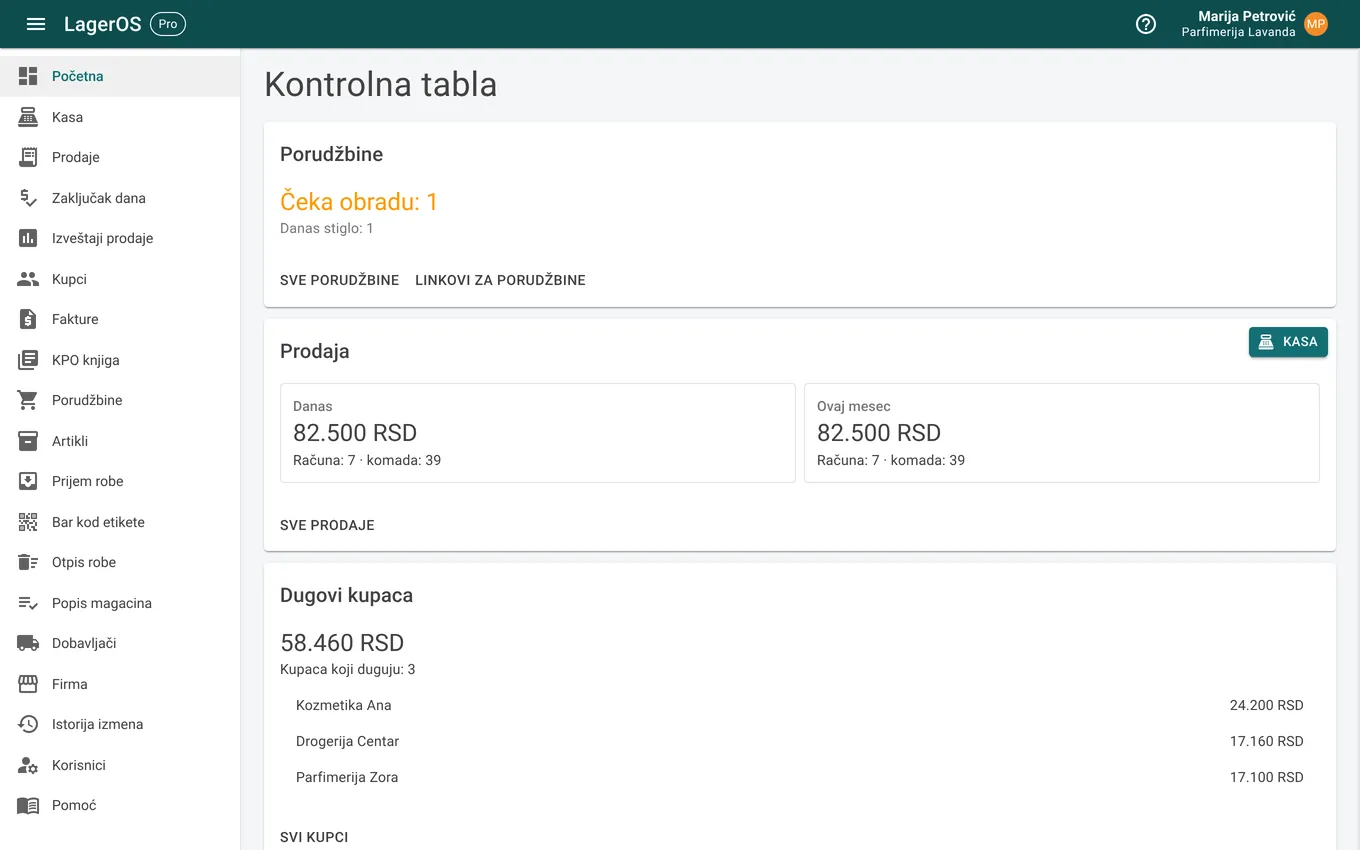
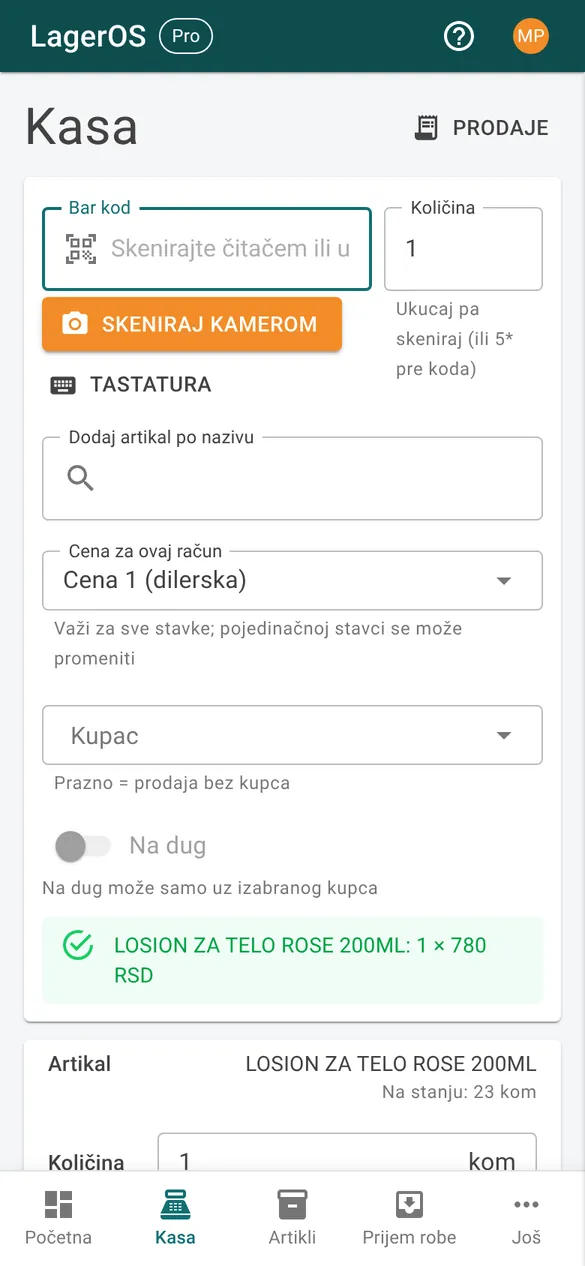
You choose what your business does, and the app turns on everything that needs. If you do not need something, we turn it off. Screenshots show the app in Serbian; it also works in English.
Selling goods
For a shop, wholesaler or importer: goods with barcodes, stock and sales.
- Warehouse: items, receiving, write-offs, stocktaking
- Checkout: sell by scanning, receipt, end-of-day count
- Customers and debts, orders via a link
- Barcode labels
From €15 a month
Invoices and books
For sole traders and small companies: invoices, payments and the sales book.
- Invoices and pro forma invoices as PDF
- Customers, debts and payments
- KPO book for flat-rate sole traders
- Sending invoices to SEF
From €10 a month
Both packages
Goods, checkout and invoices in one place: an invoice from items reduces stock, and a checkout receipt can become an invoice.
- Everything from both packages
- One sales report for checkout and invoices
From €22 a month
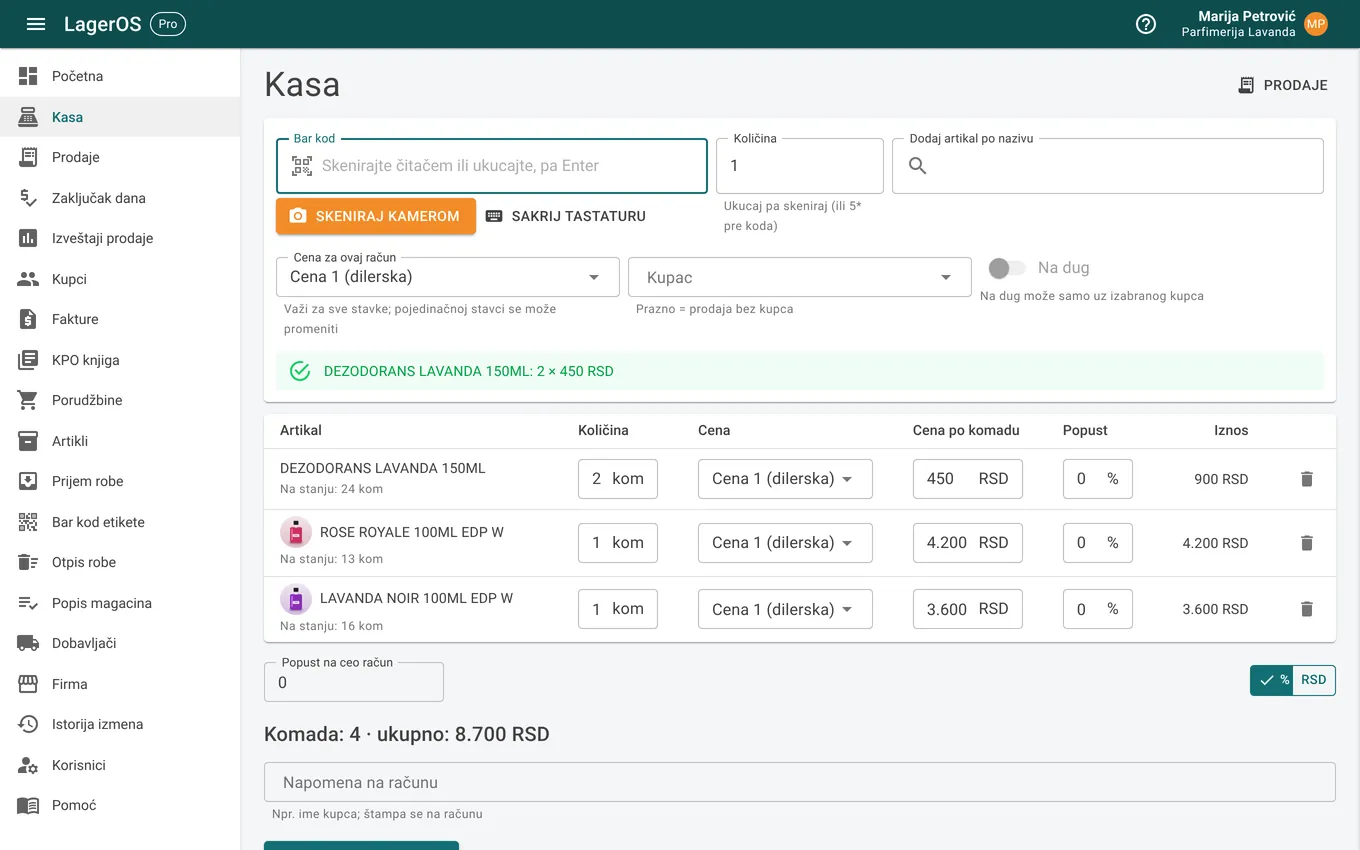
A sale in 10 seconds
A customer is at the counter:
- scan the items with a scanner or the phone camera,
- the price and photo appear by themselves, a second scan adds a piece,
- save, stock is reduced and the receipt is ready to print or send.
Receiving a shipment with a scanner
Goods have arrived:
- choose the supplier and scan the items one after another,
- enter the quantity and purchase price,
- save, and the goods are in stock with that shipment's purchase price.
What it does
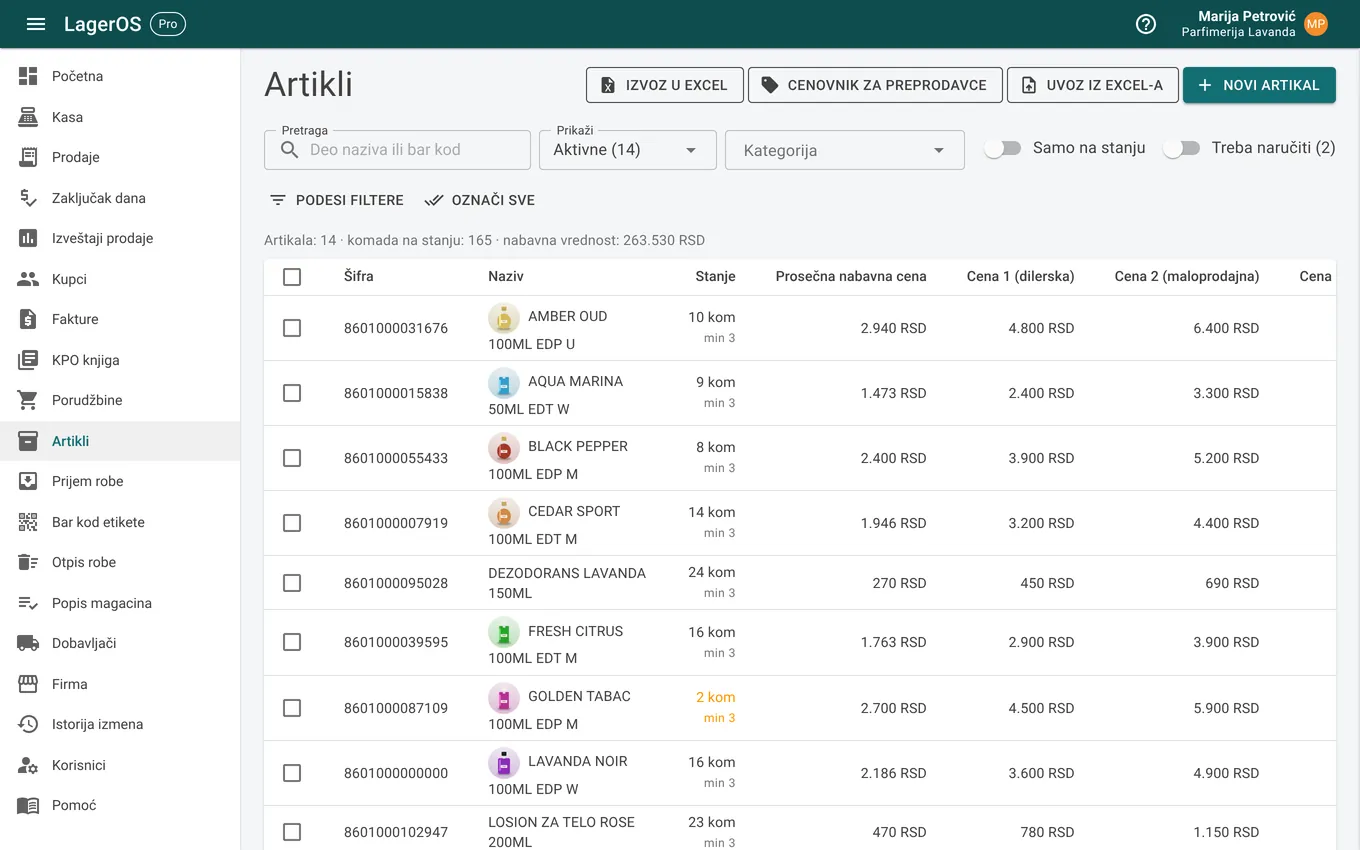
Items with barcodes, photos and three prices
An item can have several barcodes, packs (a box of 12), a category and photos. Three selling prices, dealer, retail and bulk, with a history of changes.
Import your item list from Excel, or from a photo of a price list with AI import.
Checkout: scan and get paid
Sell by scanning, with a discount per line or on the whole receipt, or on credit to a chosen customer. Print the receipt or send it as a PDF, via Viber or WhatsApp.
Stock is reduced automatically from the oldest shipment, so you also see the profit.
End-of-day count
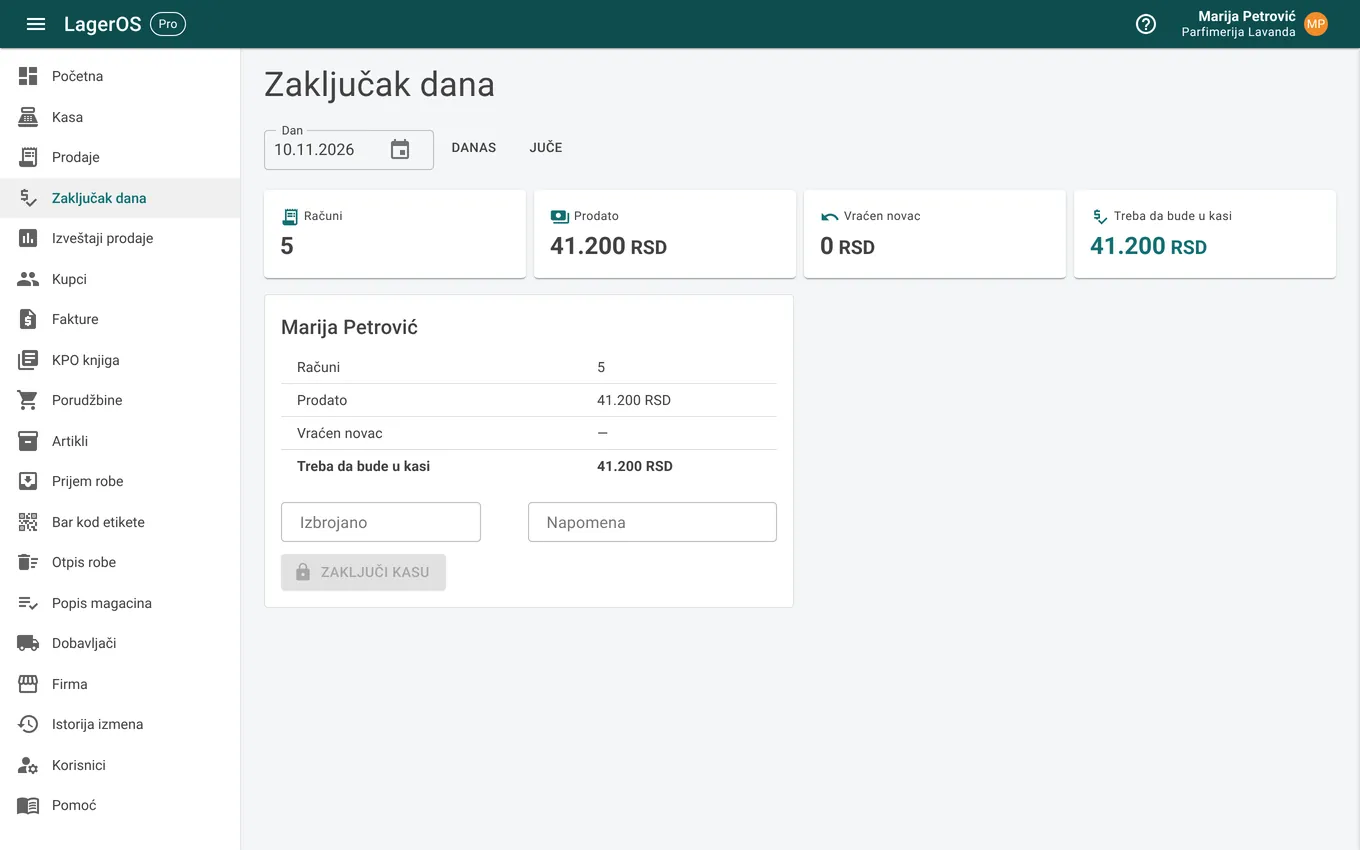
At the end of the day each seller sees how much should be in the till, enters what they counted and immediately sees any surplus or shortage.
Customers and debts
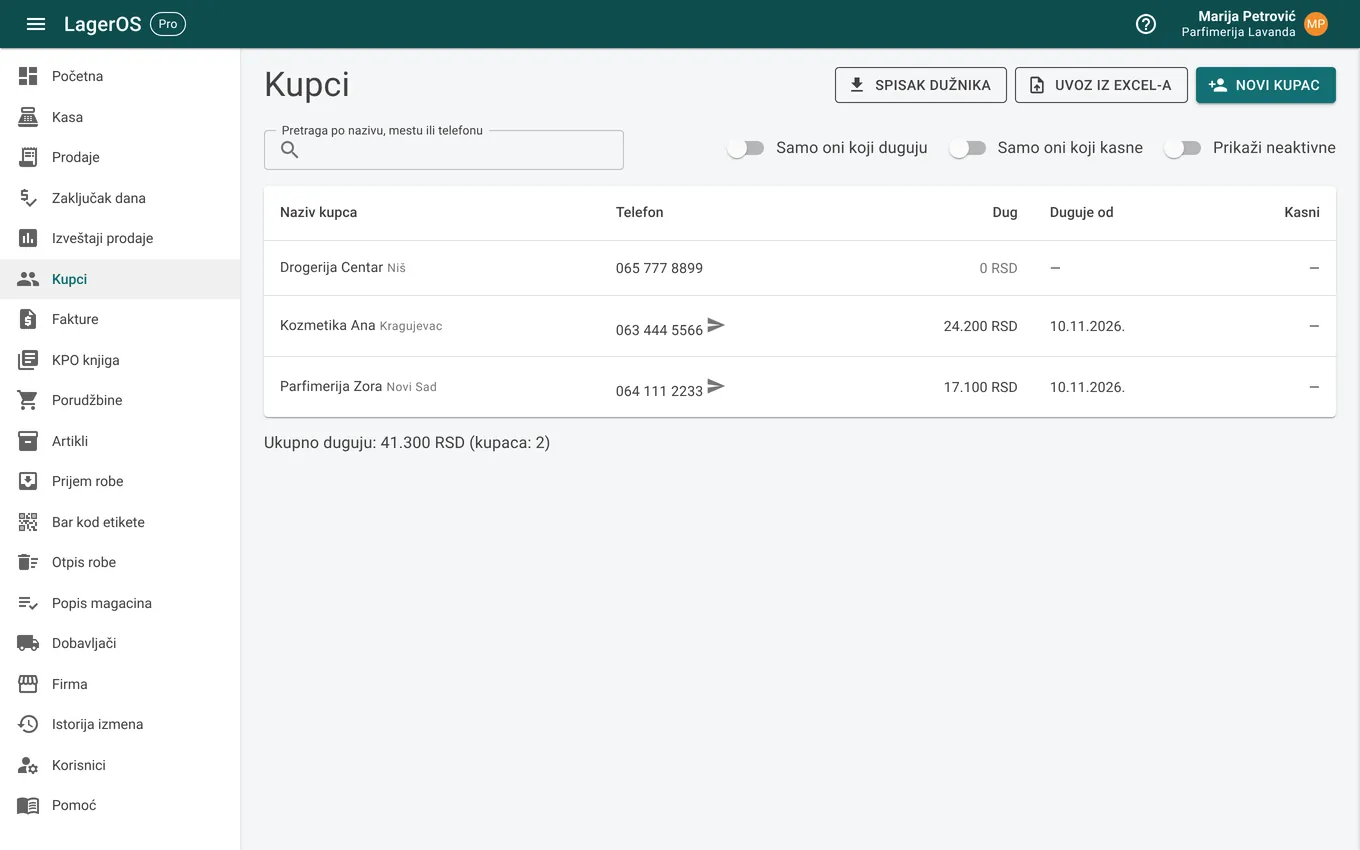
Each customer's ledger: what they bought on credit, what they paid and what they owe. The balance is calculated automatically, and the home page shows who owes you the most.
Orders via a link
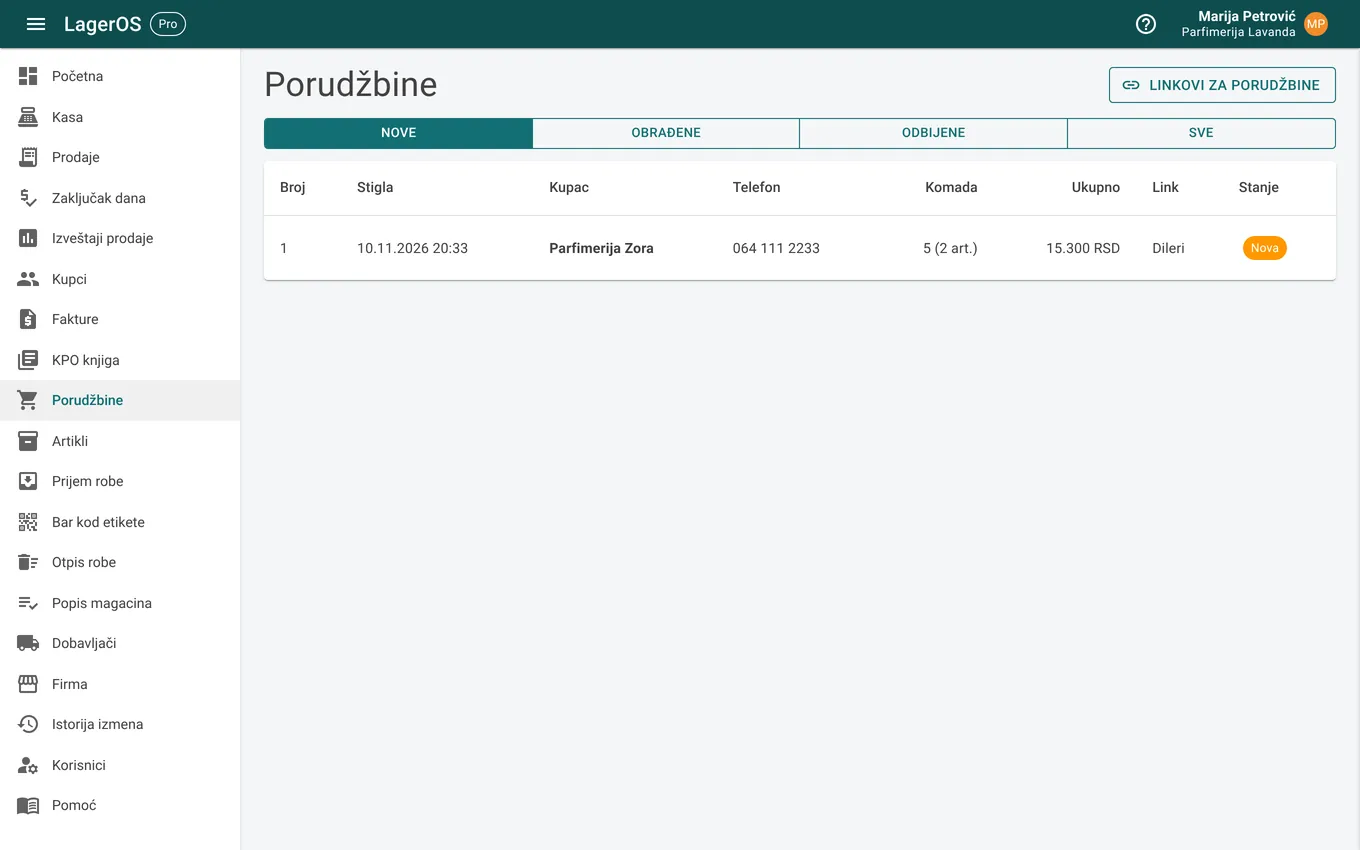
Your customers and resellers get a link with the item list and the price you give them. They order from their phone, the order arrives in the app and becomes a sale in one click.
Invoices, pro formas and SEF
An invoice from items (reduces stock) or with free text, a pro forma that becomes an invoice, payments and customer debt. Send the invoice to the customer as a PDF and, if you are in the e-invoicing system, to SEF.
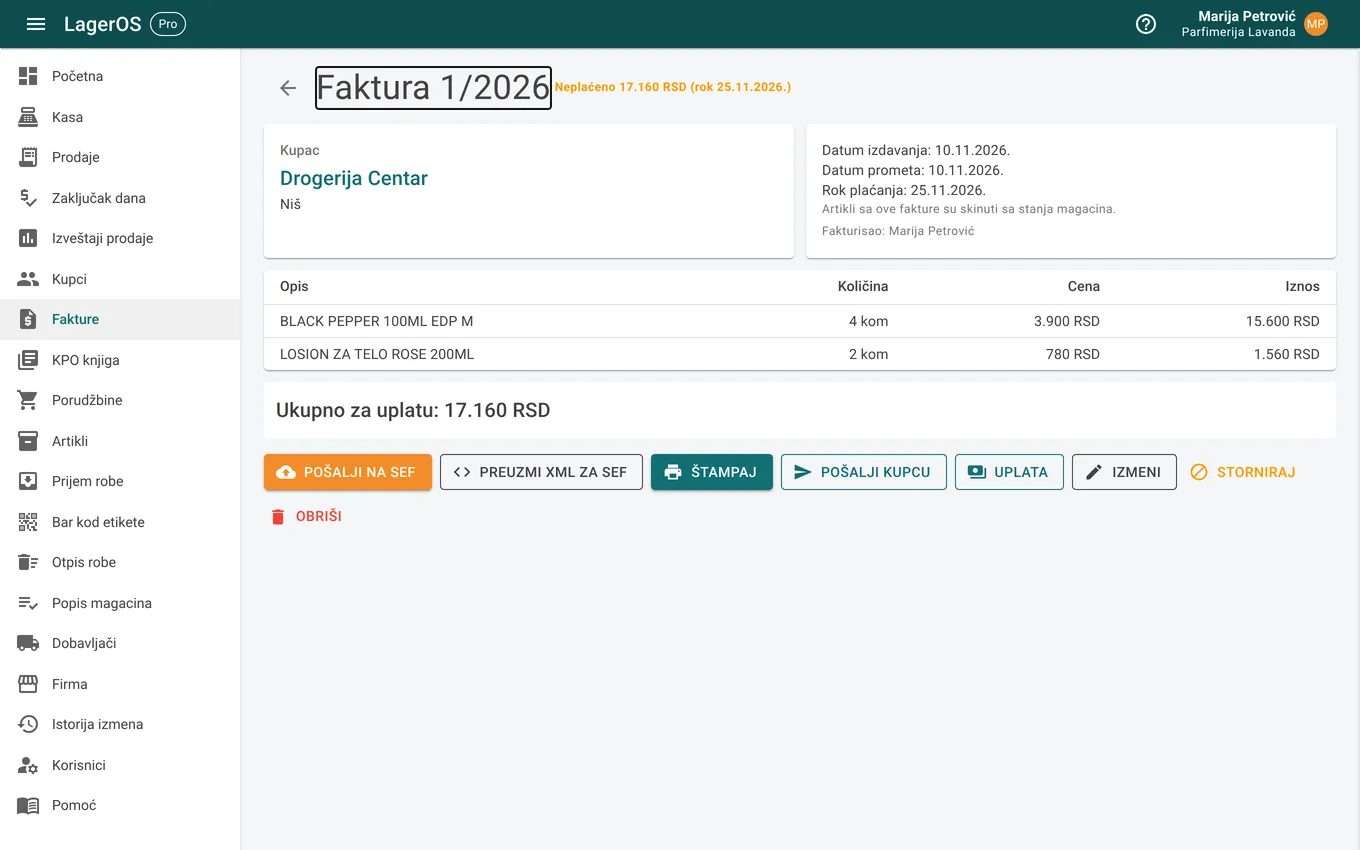
KPO book for flat-rate sole traders
The sales book fills itself from invoices and the checkout, with manual entries for anything else. The app tracks the flat-rate and VAT thresholds and warns you in time.
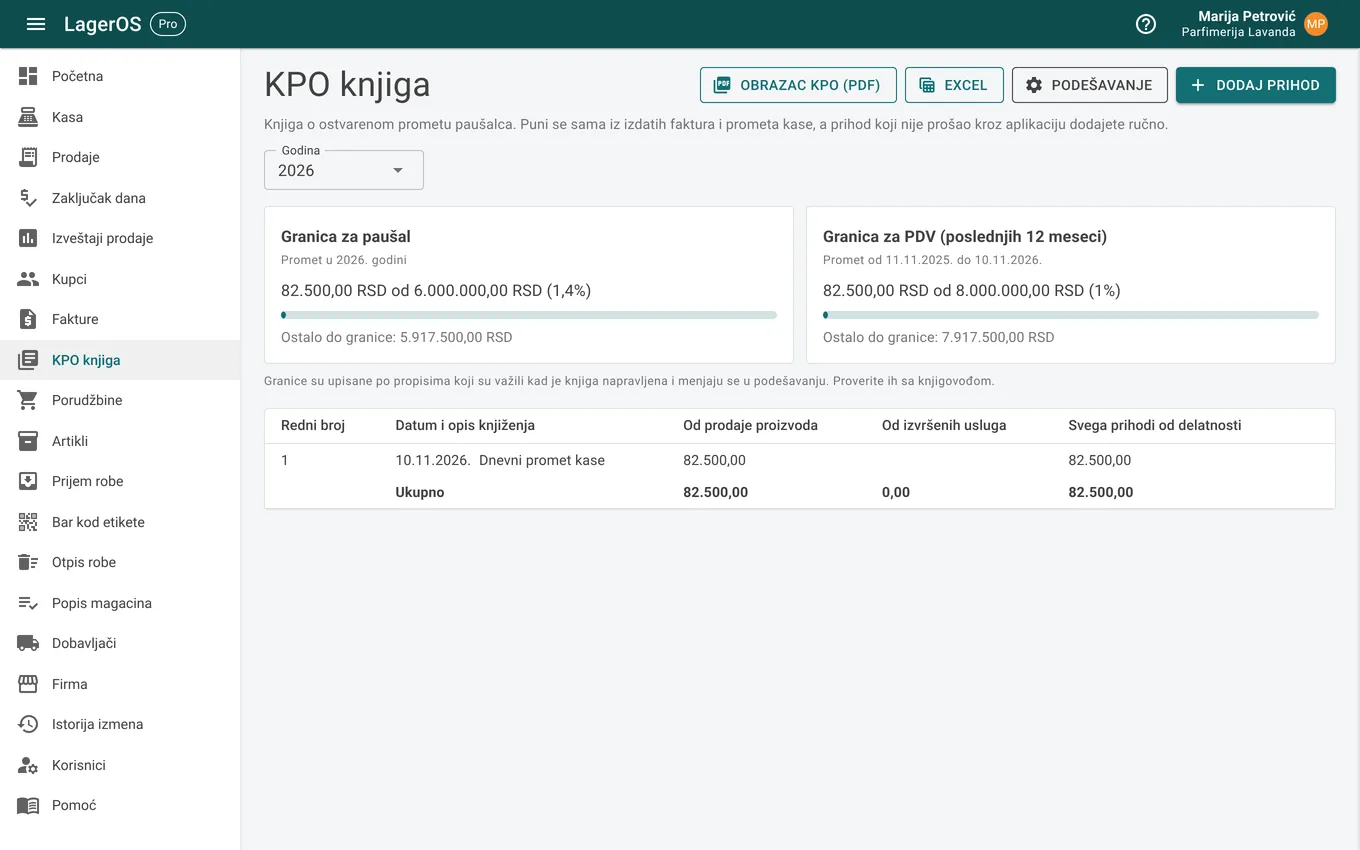
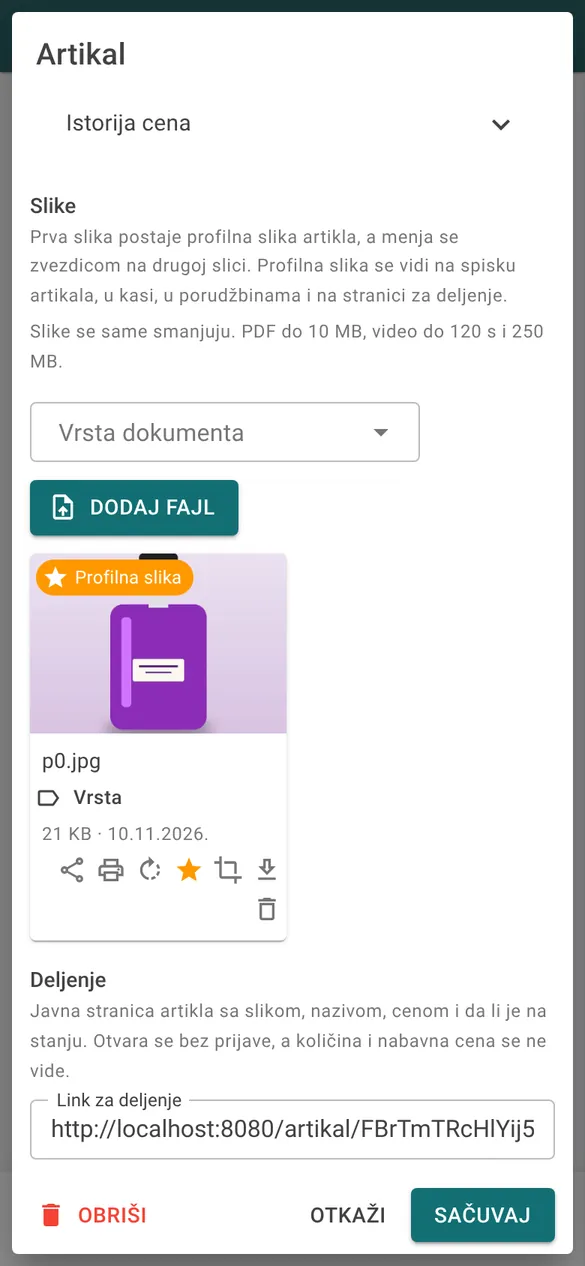
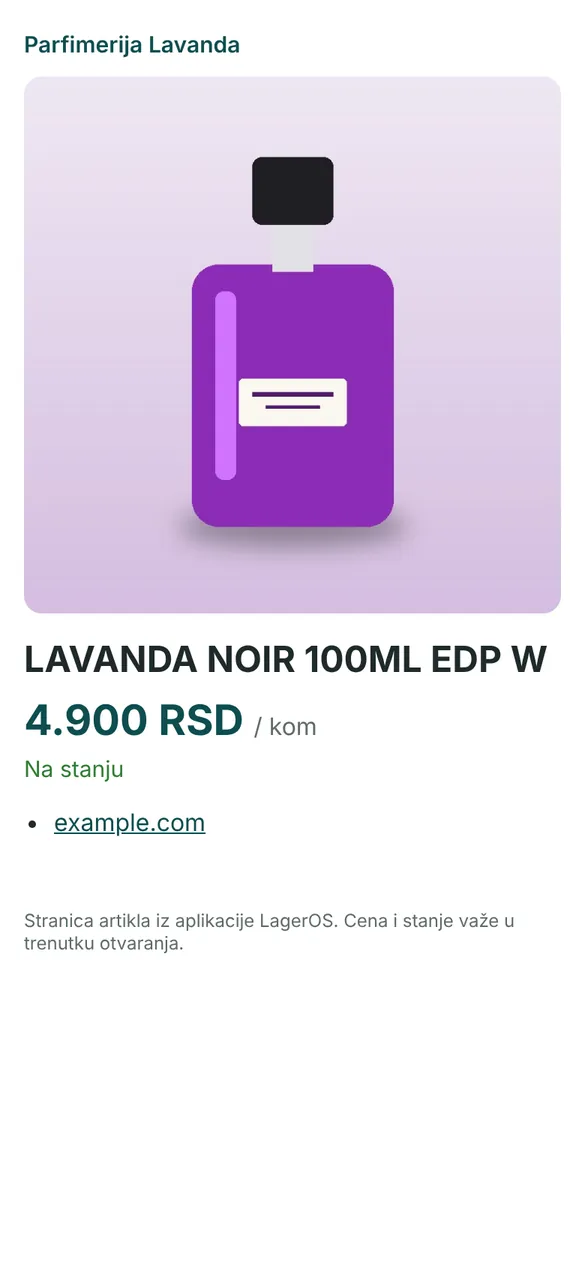
Share an item with a photo
One button gives an item its own page with a photo, price and whether it is in stock. Send the link via Viber, WhatsApp or Facebook, with no sign-in and no purchase price.
And more
Scanner or camera
Works with a USB barcode scanner on a computer and with a phone camera, with no special hardware.
Barcode labels
For items without a barcode the app creates an internal code, and you print labels with the barcode and price from the app.
Stocktaking and write-offs
Stocktaking by scanning shows the difference between the app and the shelf. Damaged or expired goods are written off with a reason.
Reports and profit
Sales by day, month and item, with profit based on each shipment's purchase price. Export to PDF and Excel.
Everyone sees their part
Owner, manager, seller or accountant, each with their own account and permissions.
Every change recorded
The change history shows who changed what and when, on an item, a receipt of goods, a sale or an invoice.
AI import and assistant
Take a photo of a supplier's price list or upload a PDF and the items are entered for you. When you are not sure how to do something, ask the assistant in the app. (Pro)
Reminders on your phone
A morning reminder arrives on your phone, for example items that need reordering. (Pro)
Light or dark theme
The dark theme is easier on the eyes in the evening and saves phone battery. The app works in Serbian and English.
Getting started
- 1
A talk and a free month
Get in touch, we agree on what you need and set up your company. The first month is free.
- 2
Your item list from Excel
We bring over items, prices and opening stock from your list or old program, so you do not retype anything.
- 3
Work from a computer or phone
On a computer with a barcode scanner, and on a phone as an icon on the home screen. Each user has their own account.
From €10 a month
First month free, two months free with yearly billing, no VAT.
Data in the European Union
Server in Germany, backups every night to another location in the EU.
Nothing to install
Runs in the browser on a computer and phone. New features arrive by themselves.
Your data is yours
Export to Excel at any time. No other company can see it.
Get in touch
We show you the app with your own items and turn on the free month.
Email: [email protected]